Introduction
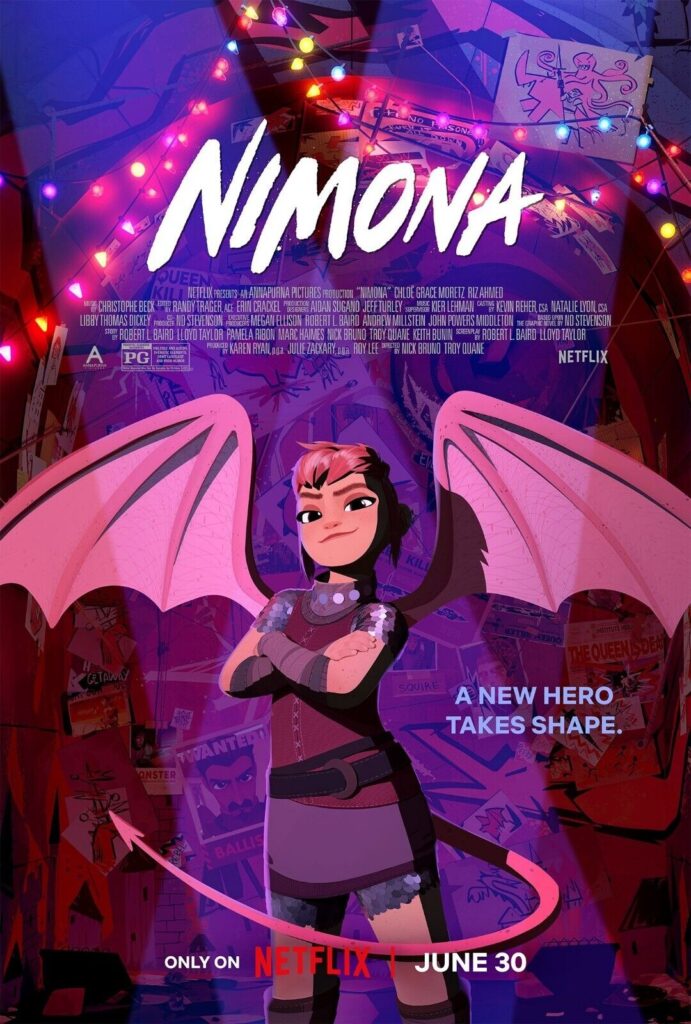
My 8-year-old daughter is an avid fan of Nimona. Thanks to her enthusiasm, I’ve watched the film more than 10 times by now. The reason I chose Nimona for my AV localization project was because I thought it would be ‘metal’ to show my daughter a localized version of Nimona featuring my voice.
Nimona is cool—she’s a shape-shifter who enjoys causing chaos. She’s playful, humorous, and rebellious. I relate to Nimona because, like her, I wear many hats in my career. We’re both shape-shifters in our own right, adapting and having fun along the way.
Plus, I have experience featuring my voice in language education videos, which required some voice acting chops! This is going to be a very fun project, right?
Workflow Outline
File Preparation
- Download the Asset: I used a free downloader to obtain the source video from YouTube. It was quick and easy, getting me started right away.
- Check the Source Material in Adobe Premiere Pro: I imported the video into Adobe Premiere Pro to ensure everything was in order and ready for editing.
- Creating an M&E Track: To separate the voice from the background music, I used Vocal Remover (vocalremover.org). While convenient, it wasn’t perfect. Unfortunately, it removed not only the characters’ dialogue but also significant parts of the background music’s vocals. This left the M&E track missing some of the vocal elements, which was a bit disappointing.
Transcription
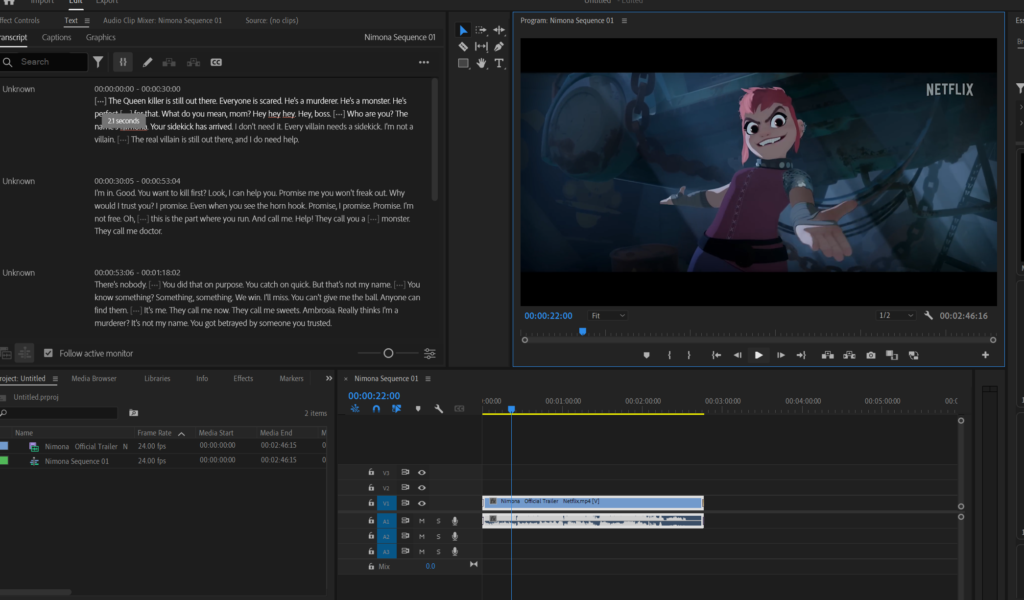
I used Premiere Pro to create an automatic transcription and generate captions for the video. However, the process wasn’t flawless. The transcription included singing parts and dialogue from multiple characters, resulting in numerous errors. This was expected, as transcription involves converting spoken language into written text, capturing every word, sound effect, and relevant background noise. After generating the transcription, the next step is to subtitle and perform QA on the source texts to ensure accuracy and clarity.
Subtitling
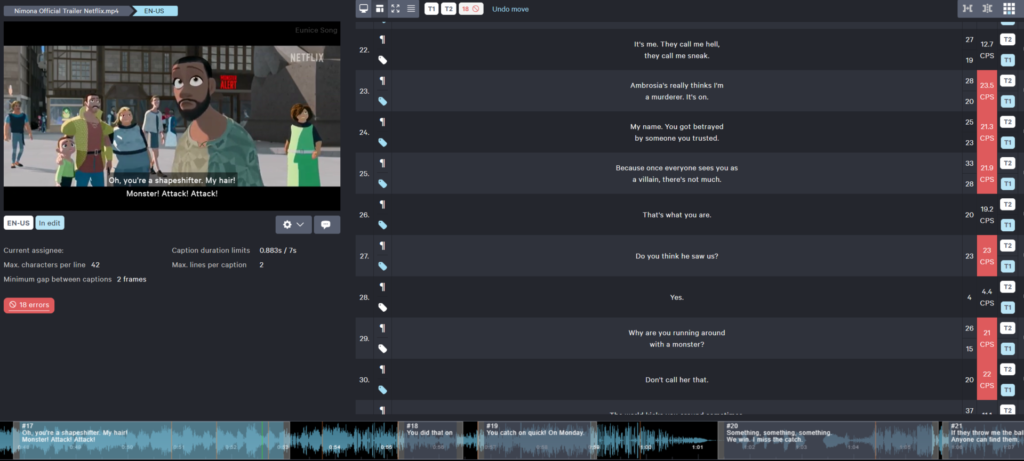
I used CaptionHub for subtitling and QA of the audio file. Before translating the subtitles into Korean, it was crucial to QA the English source file first, as the timing of the subtitles is set based on the original. I cleaned the source file by deleting unnecessary lyrics and dialogue, then edited it according to Netflix guidelines. These guidelines require subtitles to match spoken dialogue, be time-coded to the frame, and use specific grammar and punctuation for each locale. After QAing the source subtitles, I created the Korean subtitles, translating and adjusting the timing to ensure they were Netflix-compliant.
Dubbing
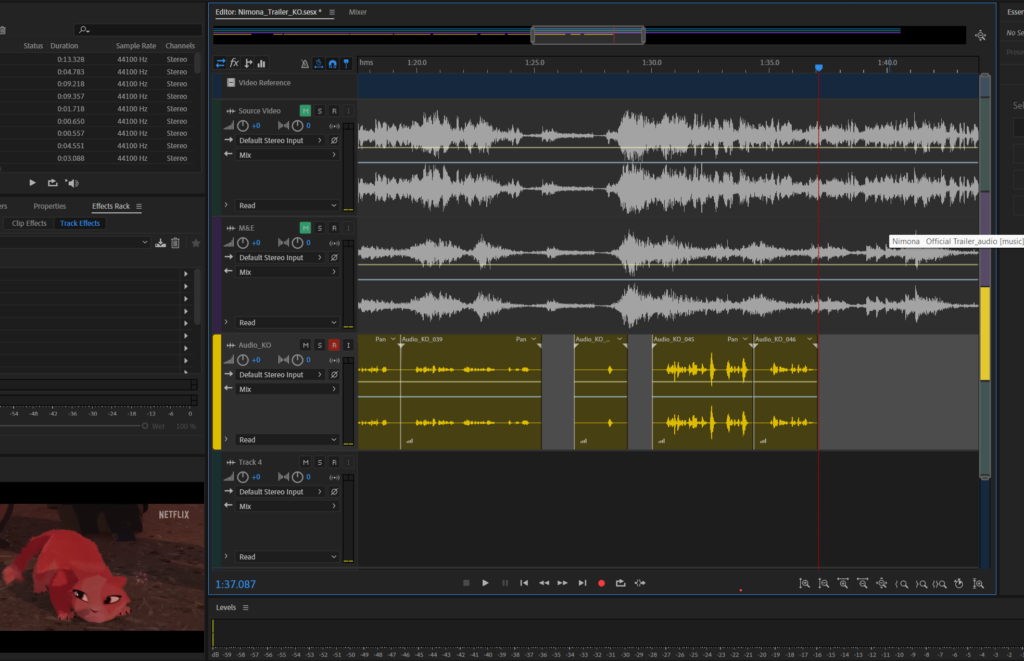
I exported the subtitles into an SRT file, opened it in Adobe Audition, and began the long process of dubbing. I have to be honest—it was extremely difficult to record for this fast-paced movie trailer where multiple characters exchange rapid dialogue. I tried and tried, but they just spoke too fast. Plus, my range from a high-pitched 10-year-old girl to a deep-voiced, burly knight was, shall we say, limited.
At one point, while I was trying to voice three characters in five seconds, my husband overheard and thought I was finally losing my mind over a school assignment. It took me two hours just to record my voice for a 2 minute and 40 second video… and it’s not even done yet!
Editing the Audio
The next task was to use noise reduction and audio effects to blend my recorded voice smoothly with the background audio. I used several different audio reverb settings for various types of voices, like monster warning announcements and TV news sounds. I also adjusted the voice settings for high and low pitch variations. Lastly, I fine-tuned the volumes for each dialogue segment.
Great! Now it’s time to integrate the audio with the subtitled video!
Integration & QA
I exported the audio file with my beautiful voice and imported it back into Premiere Pro, along with the subtitled video file, and conducted the final QA. As I layered all the files together, I discovered a slight time lag between the audio and the subtitles. Why did that happen? Additionally, the quality of the audio had mysteriously deteriorated.
Hmmm, the situation called for some detective work. I double-checked the audio settings and realized the lag might have been caused by the export settings not perfectly matching. I adjusted the audio settings, volume, and effects one more time. After another round of meticulous tweaking, everything was in sync.
Finally, my localized Nimona is ready to roll! It’s been a wild ride, but seeing the final product made all the effort worth it.
Lessons Learned
This project was quite the adventure, filled with challenges and discoveries. Here are a few lessons I learned along the way:
- Patience is Key: Dubbing multiple characters, especially in a fast-paced trailer, requires a lot of patience. Now I highly admire voice actors’ divine work!
- Expect the Unexpected: Whether it was the slight time lag between audio and subtitles or the mysterious drop in audio quality, I learned to expect and adapt to unexpected hiccups.
- Tools and Tricks: Using tools like Vocal Remover and Adobe Audition taught me a lot about the intricacies of audio editing. Even if they weren’t perfect, they were invaluable for this project.
- Attention to Detail: The importance of QA can’t be overstated. Ensuring that every element—audio, subtitles, and visuals—was perfectly aligned took multiple rounds of meticulous checking and adjusting.
- Fun Amidst the Chaos: Despite the challenges, this project was a lot of fun. Bringing Nimona to life in Korean and seeing the final product was incredibly rewarding.
Overall, this project was a rollercoaster of learning and creativity, reinforcing my passion for localization and audiovisual projects. After finalizing my work, I showed the video to my daughter. She was so impressed with her mom’s work that she declared me the “localization master” and asked if I could dub her favorite cartoons next. Looks like I might have a new side gig!
Here is subtitled and dubbed Nimona. Hope you enjoy!!
Source: Netflix. (2023, May 10). Nimona Trailer. YouTube. https://www.youtube.com/watch?v=f_fuHRyQbOc&ab_channel=Netflix.
Copyright Disclaimer: under section 107 of the Copyright Act of 1976, allowance is made for “fair use” for purposes such as criticism, comment, news reporting, teaching, scholarship, education, and research. This project is a proof-of-concept, and as such does not represent nor infringe on the creator(s) in any way.