
Helpful rules for EN-KO translation on Trados
When localizing to a different language, it is essential to adapt the text for the target audience. Using the proper typographic conventions, such as curly quotes, aligns the translated content with the local language’s standard writing style.
1. Rule: Switching from ” ” to “ ” (from straight quotes to curly quotes) 따옴표 바꾸기
Find: “([^”]*)”
Replace: “$1”
This RegEx rule is designed to find text enclosed within straight quotation marks (“). It then replaces the found text with the same content, enclosed in smart quotes or curly quotes (“ ”) for enhanced typographic presentation.
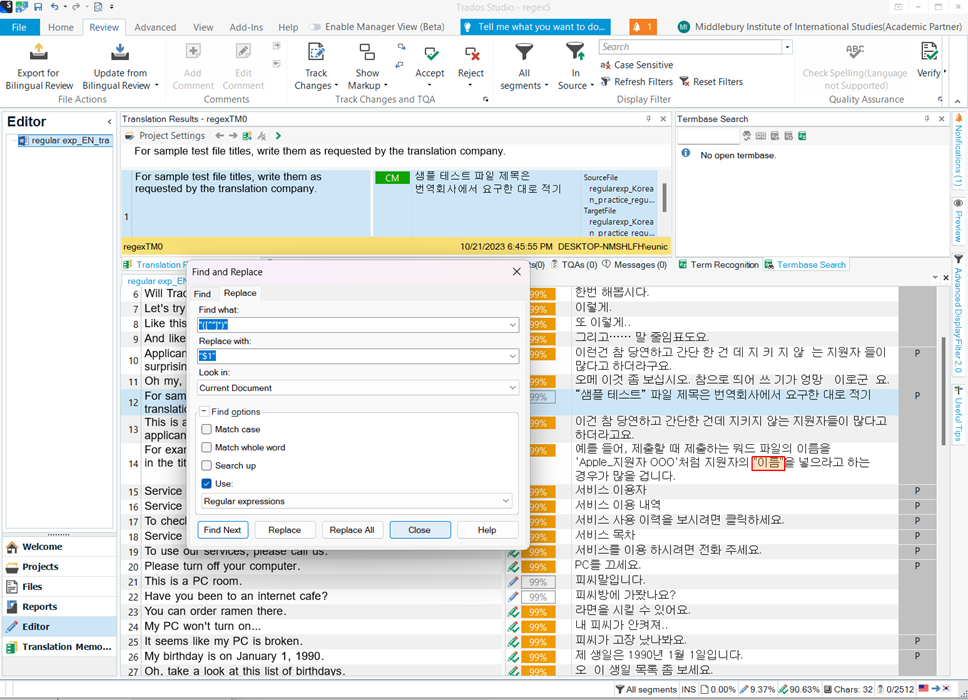
Switching from straight quotes to curly quotes in translations from English to Korean is crucial for several reasons. Curly quotes enhances the visual appeal and professionalism of the text, ensuring cultural and linguistic appropriateness in the target language. Consistency in using curly quotes maintains text cohesion, preventing distractions and ambiguity, especially in technical or legal content. Overall, this transition improves quality, readability, and cultural relevance in the translated material.
2. Rule: Removing cent sign (two decimal digits after the decimal point)
Find: \.\d{2}(?=\D|$)
Replace with:
You can apply this regular expression to locate instances of two decimal digits (decimal places) following a dot and remove them.
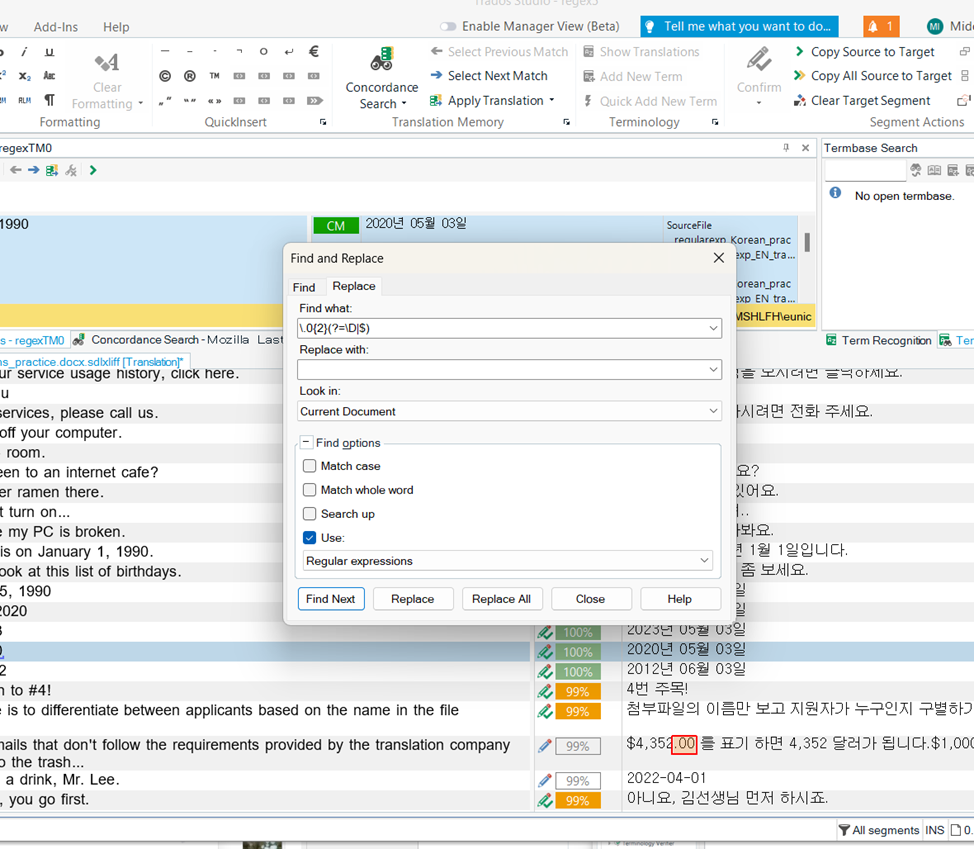
In Korea, we typically do not use two decimal places after the dot. Removing them during translation can be quite cumbersome. However, with the help of this RegEx, we can significantly enhance our productivity and save valuable time.
3. Rule: Changing English date format to the Korean date format.
Find: \d{4}[-/.]\d{2}[-/.]\d{2}
Replace with: YYYY-MM-DD
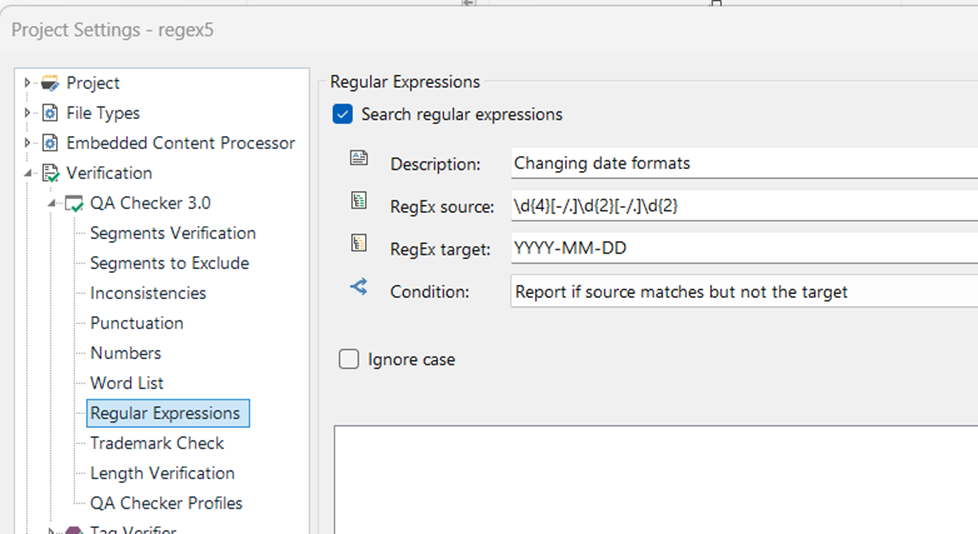
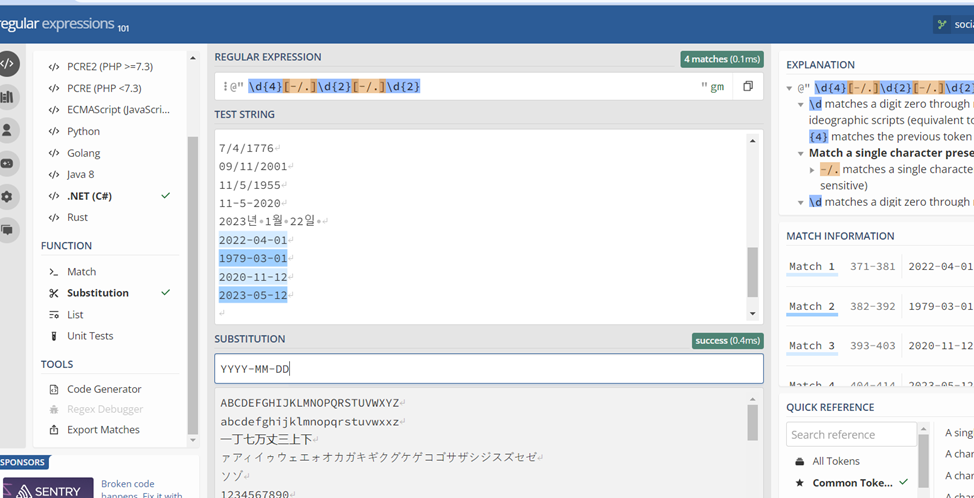
When translating content, you might encounter dates written in various formats, including the typical English format, which is MM/DD/YYYY or DD/MM/YYYY. However, in Korea, the standard date format is YYYY-MM-DD. To ensure that the translated content adheres to the Korean date format, this regular expression can be applied.
4. Rule: Identifying incorrect spacing
Find: [\s][.,?!]+[\s]
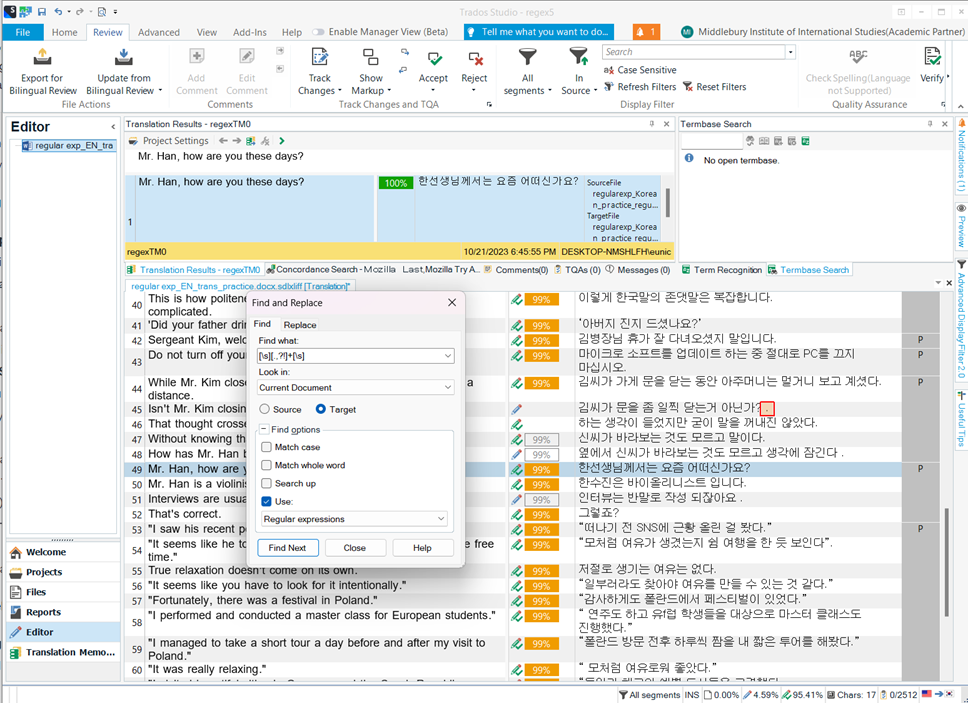
This regular expression is for identifying and locating spacing errors. Overall, this regular expression is used to find instances in the text where a punctuation mark (period, comma, exclamation mark, or question mark) is surrounded by whitespace, ensuring that there is a space before and after the punctuation. This will allow you to make adjustments if needed.